Staff Accounts That Give Control & Save Time
Give every team member exactly the tools they need—and nothing they don't. With three distinct access levels, your staff stay focused, your data stays secure, and your operations run smoother than ever.
Empower Your Team, Protect Your Business
When staff have access tailored to their role, everything becomes simpler. Frontline team members get quick, intuitive tools for customer interactions. Team leads can manage daily operations without overwhelm. Managers maintain full oversight with complete control. By giving everyone exactly what they need and removing unnecessary complexity you reduce errors, save training time, and keep your leisure centre running smoothly day after day.
All-or-Nothing Access
Generic systems give every staff member the same access level, creating security risks, overwhelming new hires, and slowing down your operations with unnecessary complexity.
Security Vulnerabilities
Every team member can access sensitive data, financial reports, and system settings.
Overwhelmed Staff
New hires face a confusing array of features they'll never use in their role.
Increased Training Time
You waste hours teaching temporary staff about features irrelevant to their duties.
Accidental Changes
A simple check-in mistake can lead to unintended booking modifications or cancellations.
Tiered Staff Accounts
Give every team member a streamlined experience with exactly the tools they need. From front desk check-ins to full managerial control, everyone works smarter with access designed for their role.
General Staff: Smooth Customer Interactions
Check customers in/out, process EPOS transactions, and view basic booking information—all through a clean, simple interface.
Team Leads: Daily Operational Control
Manage session availability, block bookings when needed, handle customer amendments, and oversee staff rotas.
Managers: Complete System Oversight
Full access to financial reports, system settings, staff account management, and strategic booking controls.
Role-Based Security
Protect sensitive data while ensuring every team member can perform their duties efficiently and confidently.
Three Tiers, Perfectly Balanced
Give every team member exactly what they need to excel in their role—nothing more, nothing less.
General Staff
Perfect for front desk, reception, and activity instructors
- Customer check-in/out
- EPOS transactions
- View session bookings
- Basic customer updates
Team Leads
Ideal for supervisors, head instructors, and department leads
- All General Staff features
- Block/unblock sessions
- Manage availability
- Customer booking amendments
- Basic reporting
Managers
Complete control for centre managers and business owners
- All Team Lead features
- Full financial access
- Staff account management
- System configuration
- Advanced analytics
- Pricing & package control
SECURE. SIMPLE. EFFICIENT.
Give Your Team the Right Tools for Their Role
Stop wasting time on unnecessary training and security concerns. With Active Booking's tiered staff accounts, every team member gets a system that's perfectly tailored to their responsibilities. Frontline staff enjoy a streamlined interface for daily tasks, team leads manage operations without complexity, and managers maintain complete oversight. It's security through simplicity—protecting your data while empowering your people.
See Tiered Accounts in Action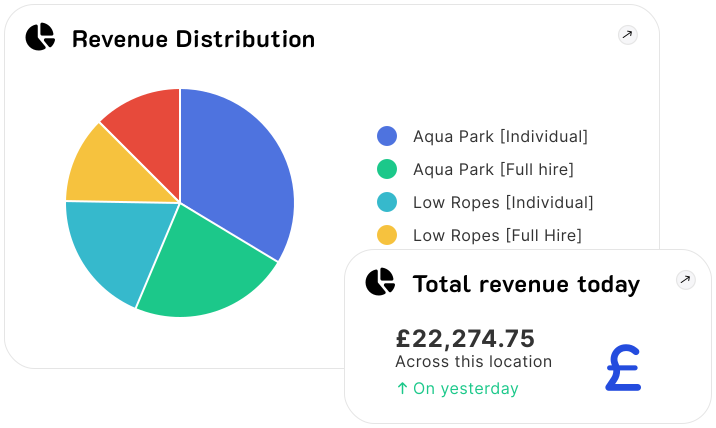
Streamlined for Every Role
Each access level features a customised dashboard with only the relevant tools, reducing clutter and helping your team focus on what matters most.
Role-specific advantages:
- Faster Onboarding: New staff learn their specific tools in minutes, not hours
- Reduced Errors: Limited access means fewer accidental changes
- Improved Security: Sensitive data stays where it belongs
- Time Savings: No more searching through irrelevant features
- Clear Responsibilities: Everyone knows exactly what they can do
- Flexible Management: Change access levels as roles evolve
Staff Accounts FAQ
Ready to streamline your staff management?
Book a DemoGive Your Team the Right Tools
Empower every staff member with access designed for their role. Reduce training time, improve security, and streamline operations with tiered staff accounts that actually make sense.
Start Streamlining Staff Access